logo-img
8700099563 || 8700090728 info@dbest.co.in 506, ITL Twin Tower B-09, Netaji Subhash Place Pitampura, New Delhi-110034

Topics List

How to Create/Add New Product Name in DBest Software?

OVERVIEW OF PRODUCT MASTER CREATION IN DBEST SOFTWARE

  • A Product Name is used to Identify the Type of Goods which we are selling
  • It Helps to Identiy Correct Product like Shirt,Trouser,Suit,Saree & Lenghas.

PROCESS OF PRODUCT MASTER LEDGER IN DBEST SOFTWARE
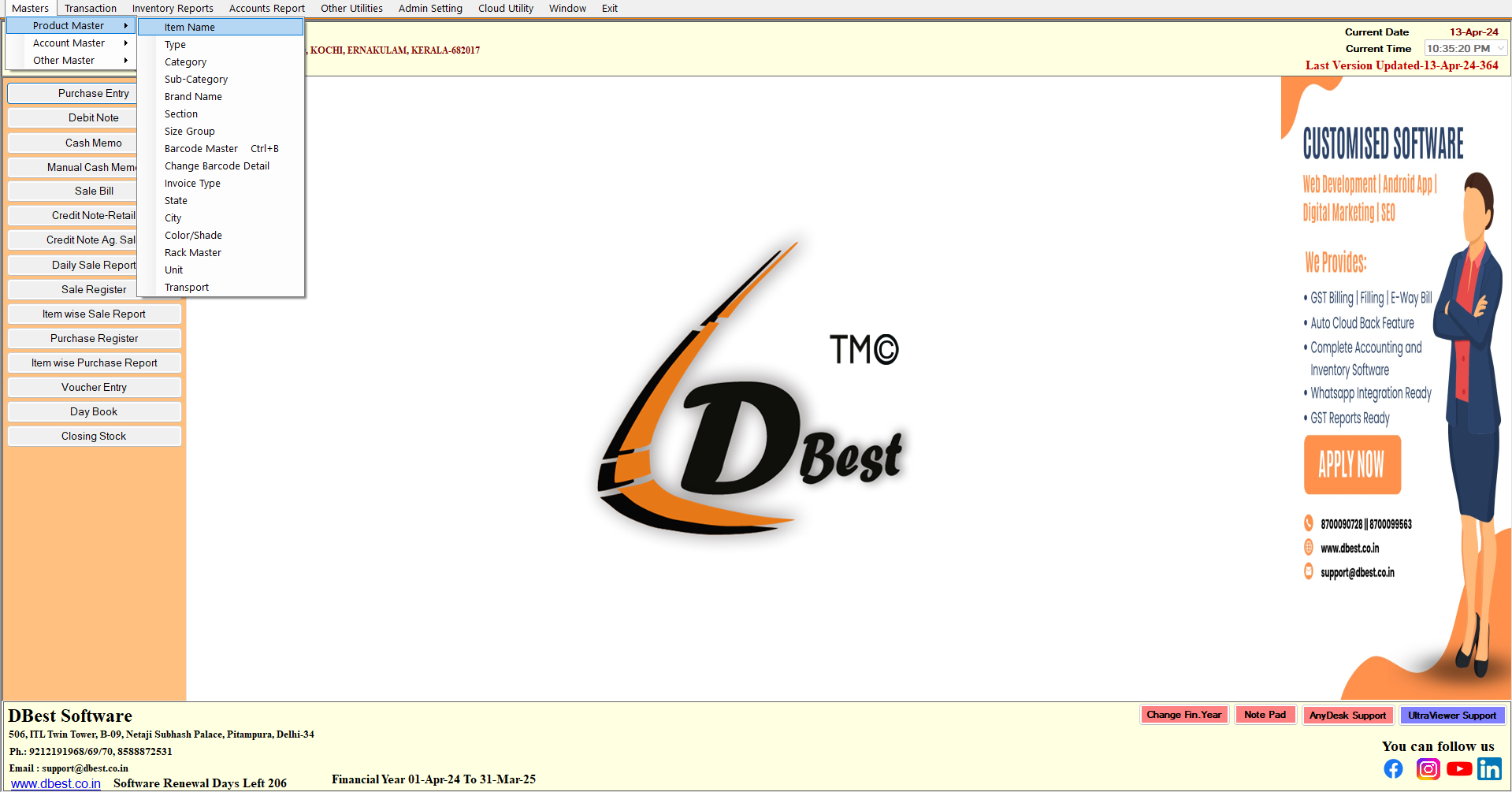
  1. Firstly Go To Masters >> Product Masters >> Item Name

 2. Here You Can See The Lists Of Product Name which are already added into the system.
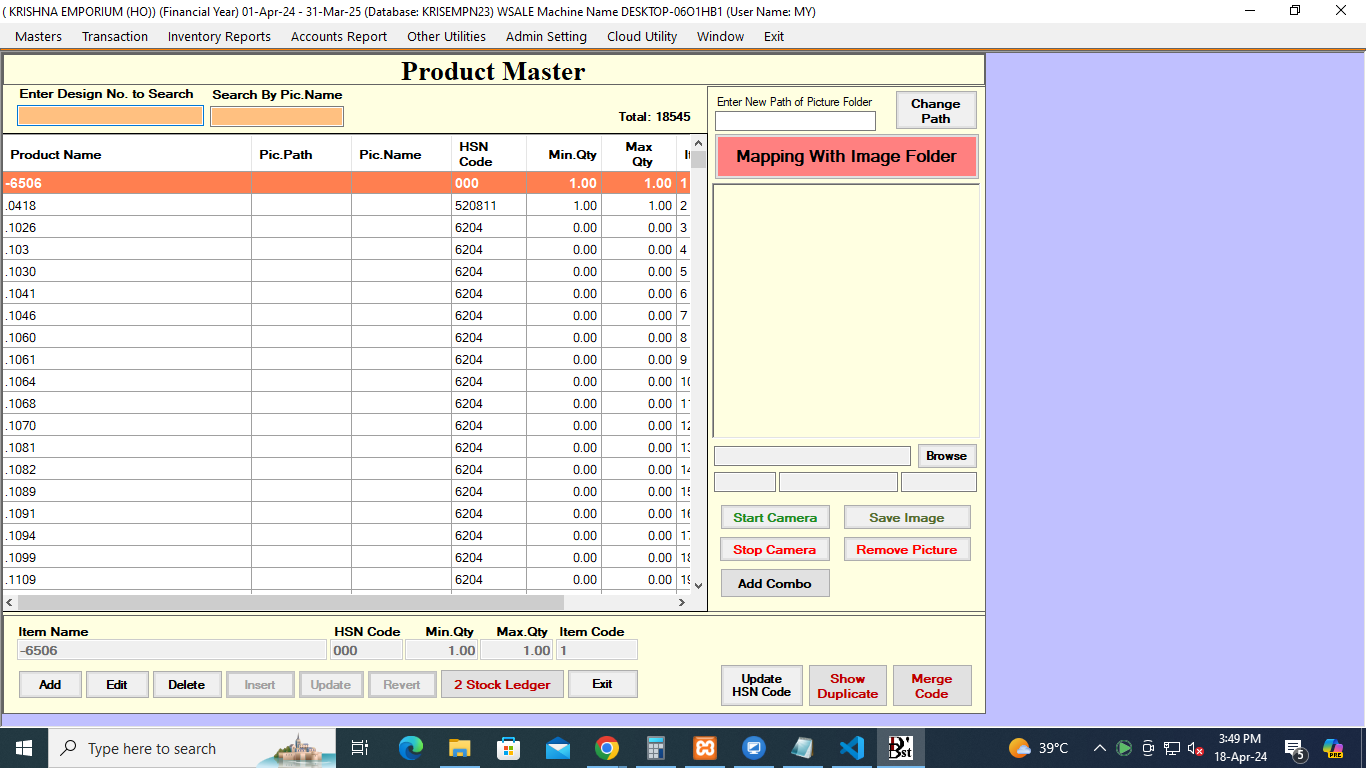
3. Now Click On Add Button To Create/Add a New Product Name
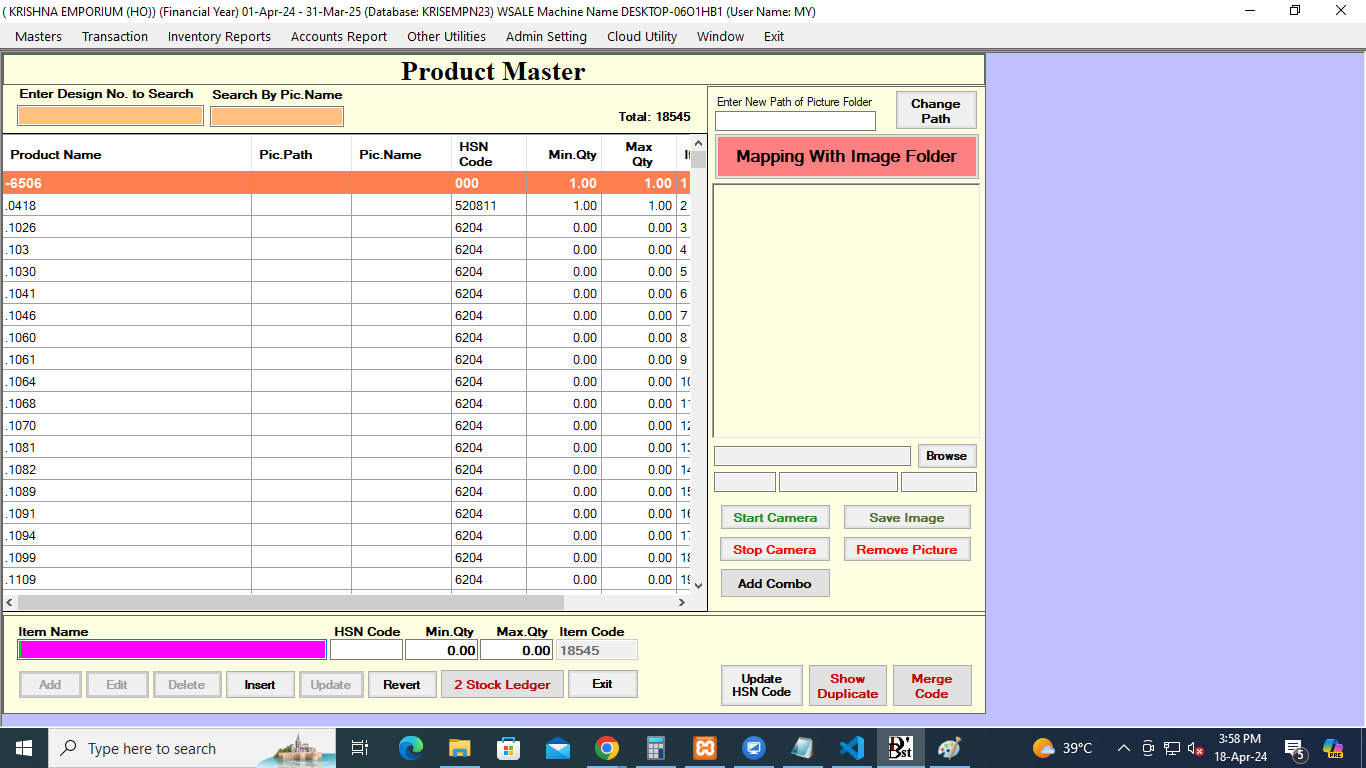
  • Item Name : The user will mention the name of the Product. Suppose , mention product name 'SHIRT001'
  • HSNCode : Enter the HSNCode of the Product , Suppose , mention hsncode '63520','252963'.
  • Min & Max Qty : If want to maintain the Min & Max Qty of a Product , Specify the Range like Min Qty : 2 & Max Qty: 5