logo-img
8700099563 || 8700090728 info@dbest.co.in 506, ITL Twin Tower B-09, Netaji Subhash Place Pitampura, New Delhi-110034

Topics List

How to Delete Product Master in DBest Software?

PROCESS OF PRODUCT MASTER LEDGER IN DBEST SOFTWARE

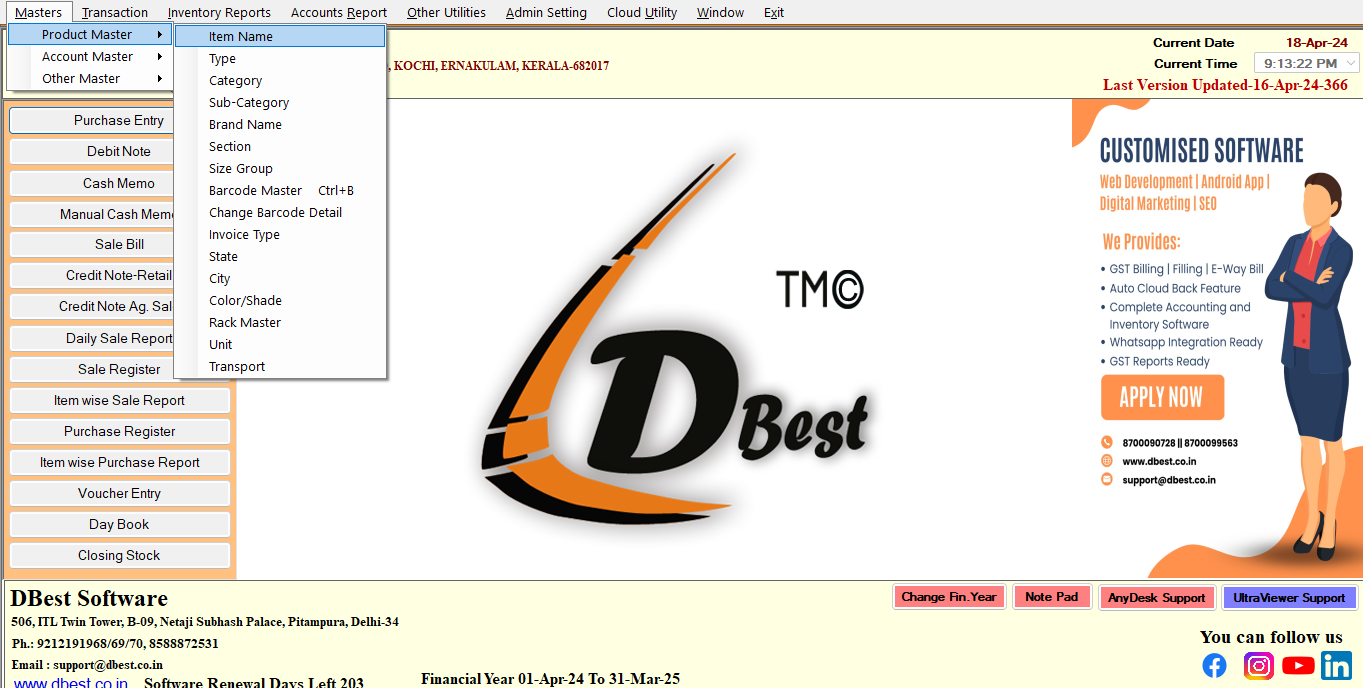
Firstly Go To Masters >> Product Masters >> Item Name

Item Name

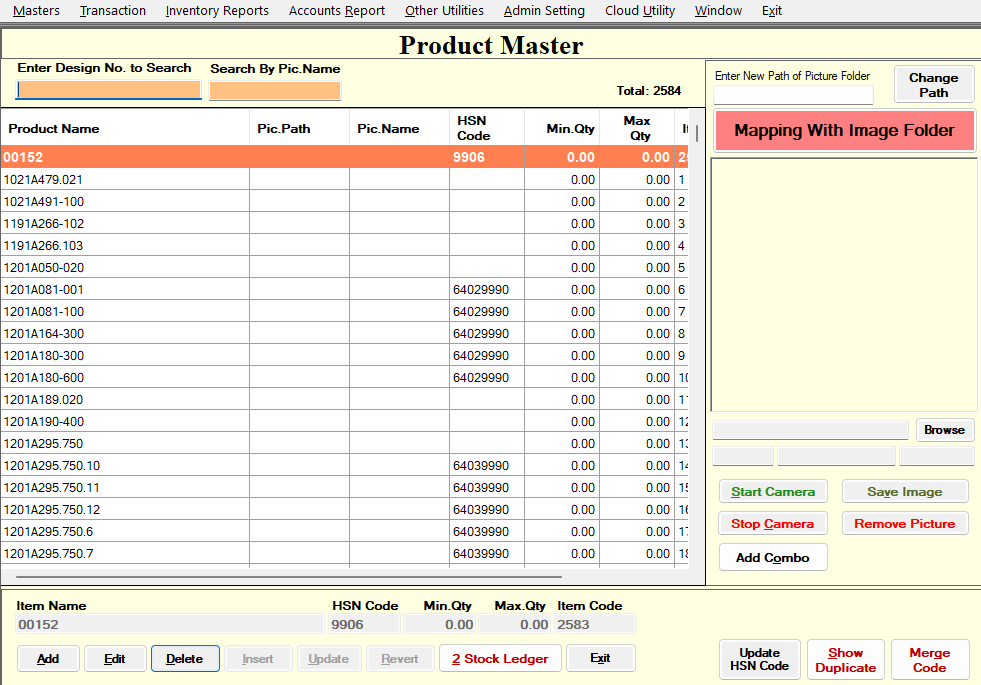
Here is the List Of All Items which are created in the software.

Item Master List

  • Search the ItemName which you want to delete.
  • Now Press the Delete button to delete the selected ItemName from Master.
  • A Confirmation Dialog will prompt , saying (Are you sure you want to delete selected Item Name?)
  • If Yes is selected, Selected ItemName will be deleted from the Software
  • If No, Confirmation Dialog will close, and No Changes will be Made to your data.